* Works on Windows 10 and Windows 11
PreloadApps saves you a few extra clicks every time you start Windows. Add the apps, folders, and websites you use daily, and let them open automatically so you can get straight to work.
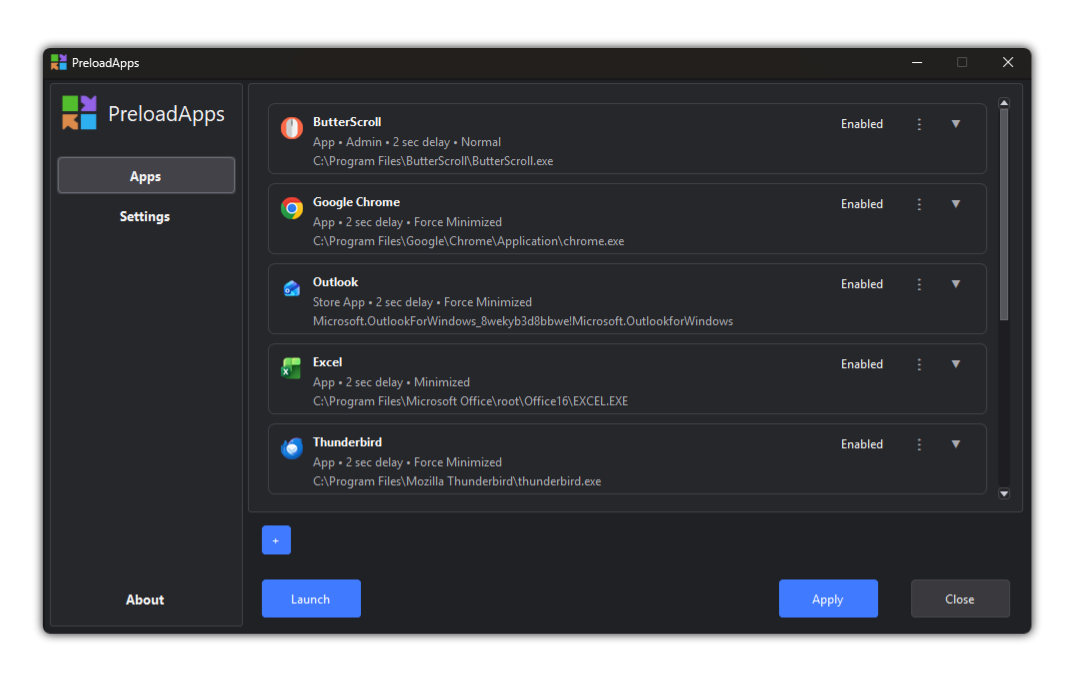
PreloadApps lets you create a simple startup launch list for the apps, folders, and websites you use every day. When Windows starts, PreloadApps opens them for you in the order you choose, with small delays so your system does not feel overloaded.
Add the programs you use every day and let PreloadApps open them automatically after Windows startup.
Open project folders, work directories, dashboards, email, or browser pages along with your apps.
Set small delays between items so everything opens in a cleaner, more controlled way.
Start with Windows, launch from the tray, or open everything manually when you need it.
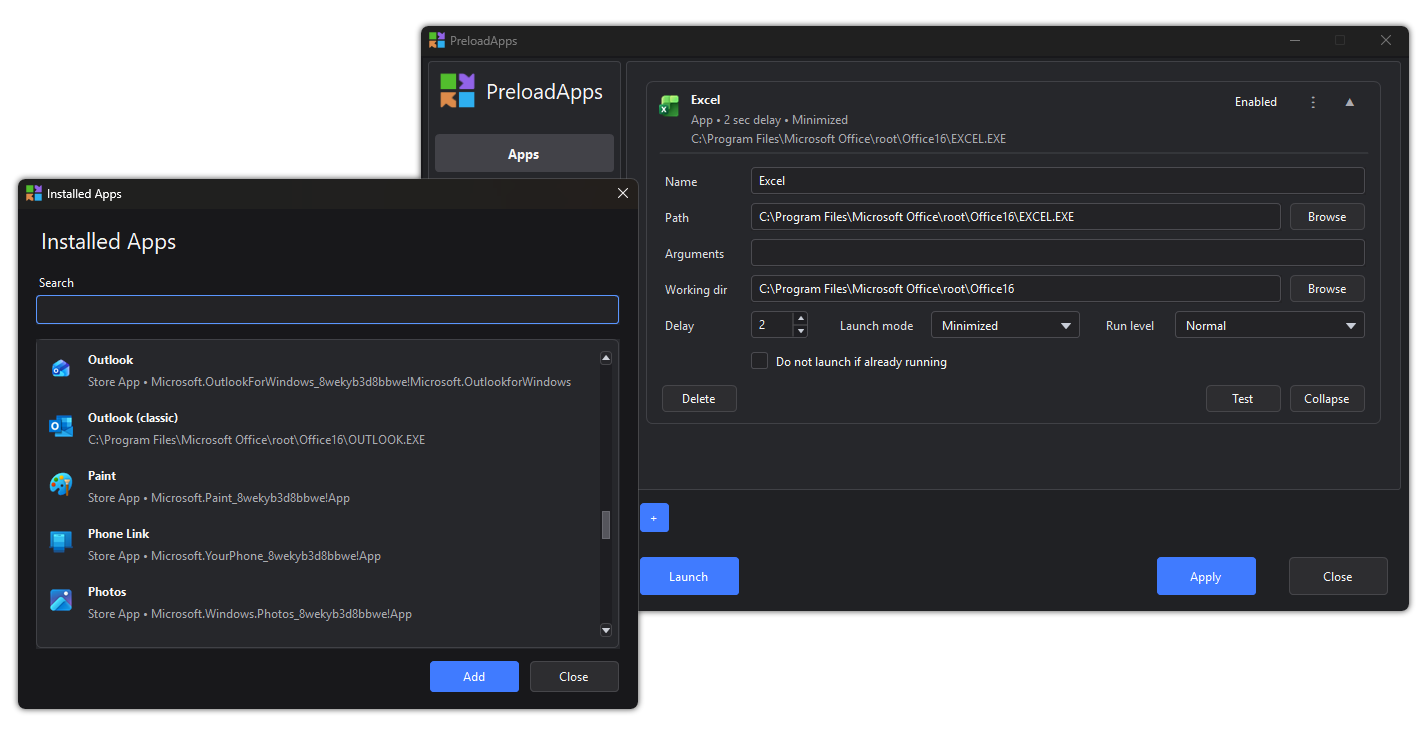
PreloadApps opens the apps, folders, and websites you use every day after Windows starts. It helps you get your workspace ready without opening everything manually one by one.
Yes. You can add only the apps, folders, and websites you want. You can also enable, disable, edit, delete, and reorder items anytime.
PreloadApps is designed to open your items after Windows startup, with optional delays between them. This helps avoid launching everything at the same moment.
Yes. PreloadApps is made for Windows 10 and Windows 11.
Try PreloadApps free and let Windows open your daily apps, folders, and websites automatically after startup.
* Works on Windows 10 and Windows 11